Server Console: Security
IPTVBoss Pro
XC Server requires Pro.
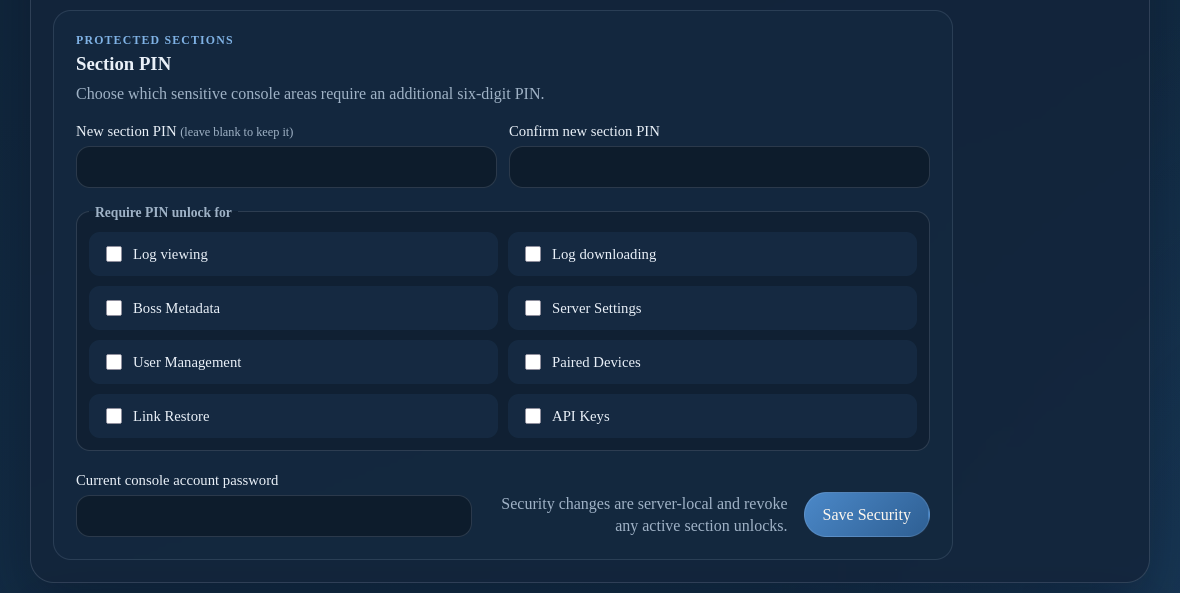
Console Security controls two-factor authentication and which console sections require an additional six-digit PIN.
Authenticator two-factor authentication
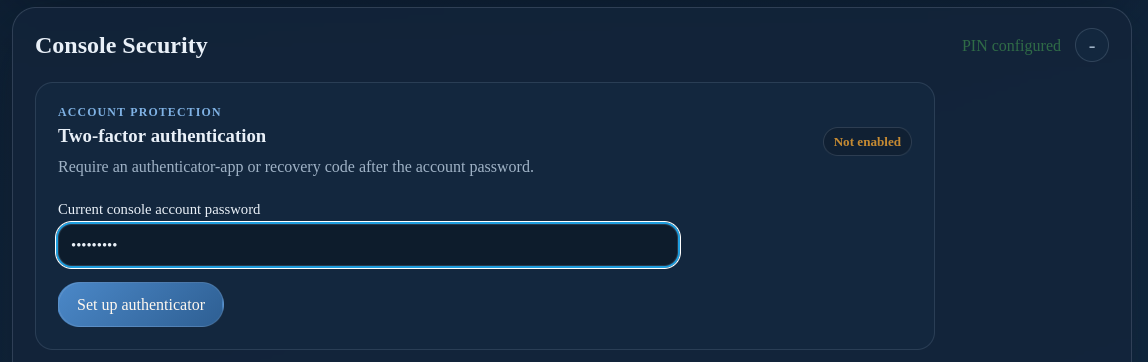
- Open Console Security → Two-factor authentication.
- Enter the current administrator password.
- Scan the QR code with an authenticator app, or enter the displayed manual key.
- Enter the current six-digit authenticator code to confirm enrollment.
- Save the recovery codes in a secure location before closing the recovery-code panel.
Recovery codes are one-time credentials. Generate a new set if the codes may have been copied; the previous set stops working.
Manage enabled two-factor authentication
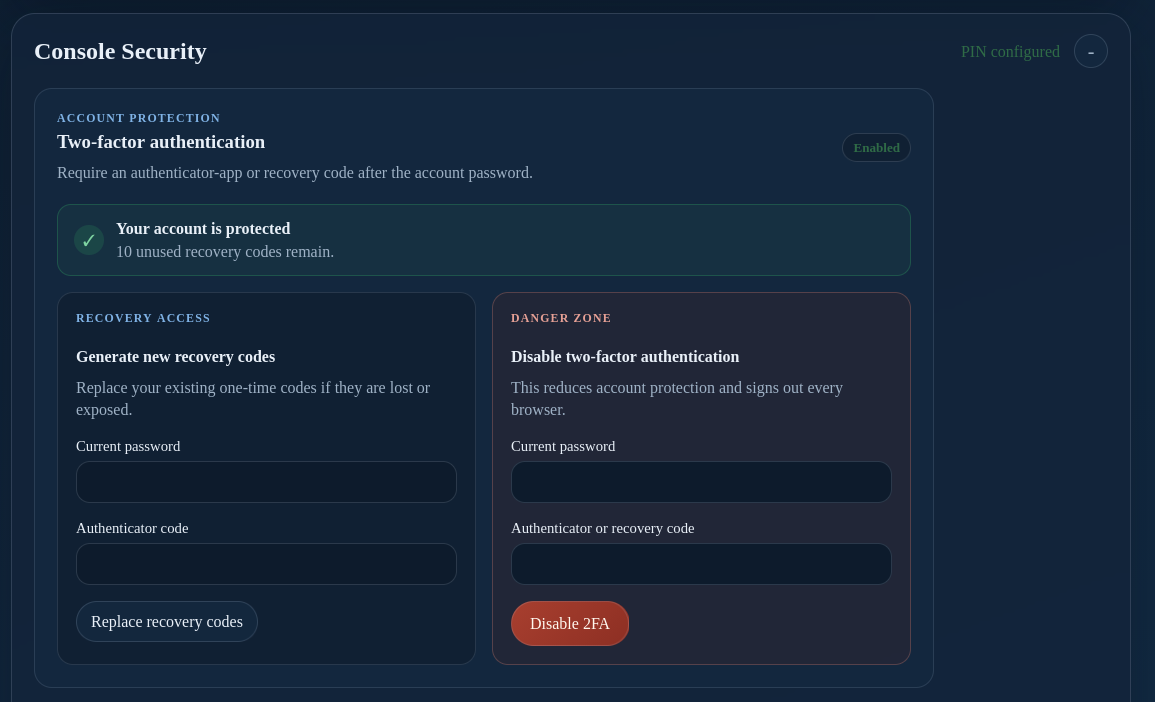
When two-factor authentication is enabled, Generate new recovery codes replaces the existing one-time codes after password and authenticator verification. Disable two-factor authentication removes the second sign-in step and signs out active browsers, so use it only when necessary and only after confirming the account remains protected by a strong password.
Section PIN protection
The section PIN must contain exactly six digits. Use the security settings to choose which areas require PIN unlock:
- Log viewing and log downloading
- Boss Metadata
- Server Settings
- User Management
- Paired Devices
- Link Restore
- API Keys
Security changes revoke active section unlocks. Re-authenticate with the new PIN when a protected section requests PIN Unlock.
Keep the administrator password and section PIN separate. Do not publish either credential.
Administrator Account
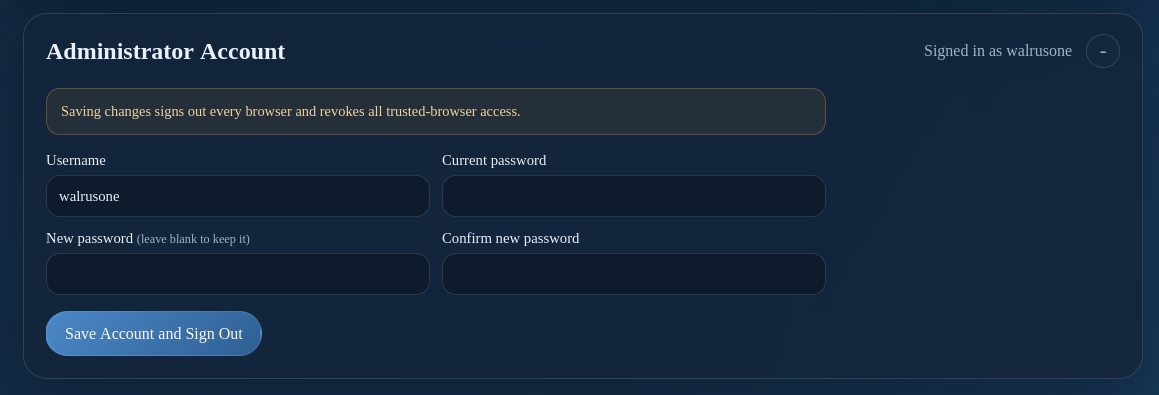
The Administrator Account section changes the username or password used to sign in to the Server Console.
- Open Account or Administrator Account.
- Enter the current password.
- Enter the new username or password and confirm the password when changing it.
- Save the account change.
- Sign in again with the new credentials if the console ends the current session.
Changing the administrator password does not replace the section PIN or authenticator settings. Update stored credentials only after confirming the new login works.
Use the PIN and two-factor sections above for those settings. If the administrator identity cannot be recovered through normal sign-in, see Reset the XC administrator.