Resetting IPTVBoss
Resetting IPTVBoss can remove local configuration, sources, layouts, or database content. Use restore or support procedures before deleting application data.
Prefer restore over deletion
If the database is damaged or the configuration is wrong, first identify a known-good backup. IPTVBoss supports restore sources that may include:
- A local backup
- A cloud backup
- A backup link
- An IPTVBoss server backup
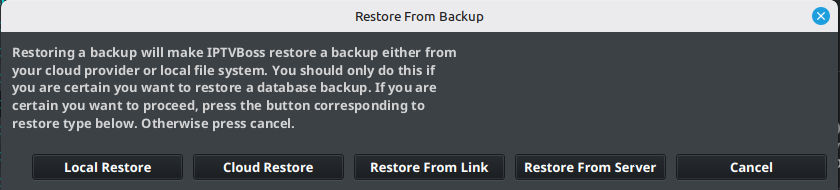
Restore a known-good backup
Follow Restore a Database Backup to select a local, cloud, link, or XC backup and verify the recovered configuration. Preserve the current data before replacing it.
Reset only after review
Do not manually delete the application data directory unless support has provided exact instructions for your operating system and version. Ask in the IPTVBoss Discord or open a support ticket through the member portal before deleting anything. A manual deletion can remove the only usable copy of your database.
If no backup is available, collect the logs and ask for help in Discord or through the ticket system before resetting anything.
For operating-system folder locations and Dropbox recovery, see Recovery and Application Files.