Adding an EPG Source
An EPG (XMLTV) source supplies programme information that can be assigned to channels in a layout.
Add an external EPG source
- Open Sources.
- Select Add EPG.
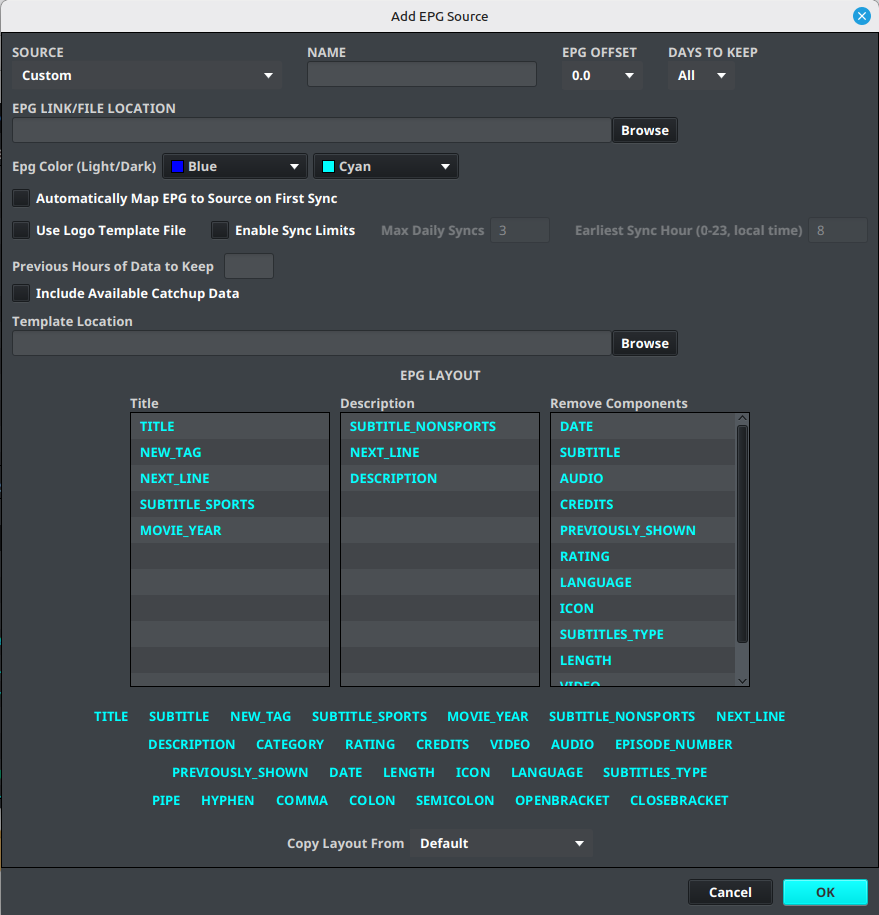
- Leave Source set to Custom.
- Enter a descriptive name.
- Enter the EPG source URL supplied by your provider.
- Review any refresh, time-zone, and logo options shown in the dialog.
- Select Save.
Warning
Do not publish private EPG URLs, account tokens, or provider credentials.
Add a built-in EPG source PRO
- Open Sources.
- Select Add EPG.
- Open the Source dropdown.
- Select the available built-in Pro EPG source.
- Confirm that the source name is populated and that the URL field is not required.
- Review any refresh, time-zone, and logo options shown in the dialog.
- Select Save.
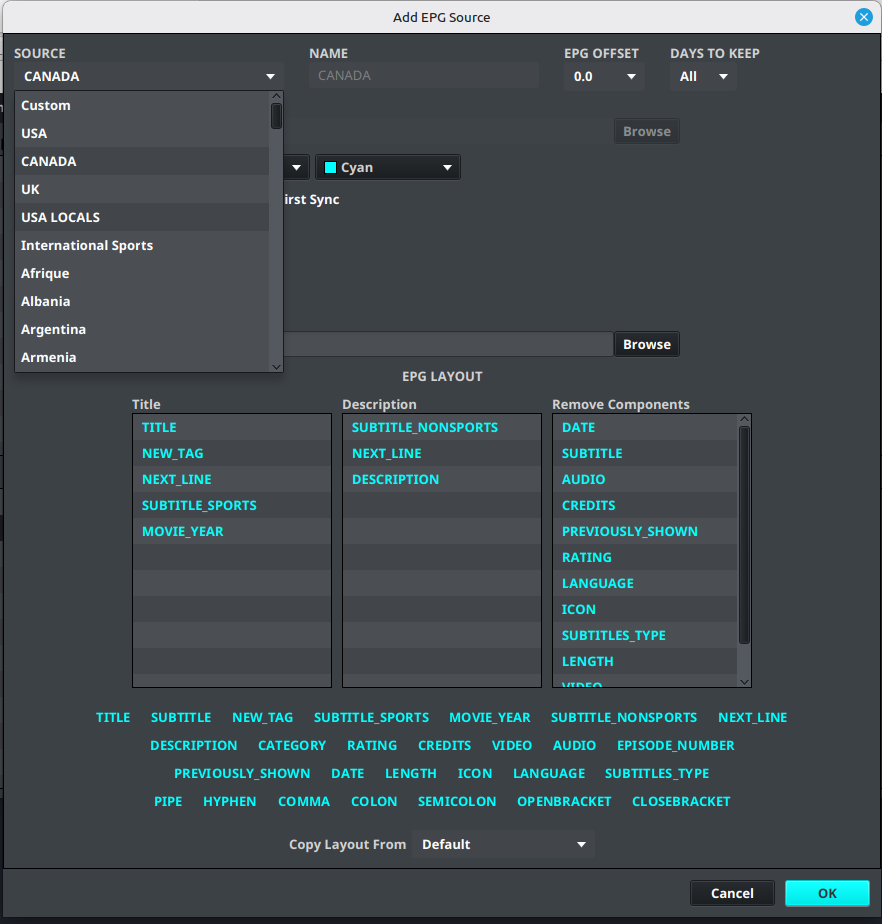
The built-in source is then available for synchronization and channel mapping like another EPG source. If the source is not listed or is locked, confirm the account status in Free vs Pro and IPTVBoss Pro Settings.
Synchronize the EPG source
- Open Sources Manager.
- Select the EPG source.
- Select
 Sync in the source action bar.
 - Wait for the import to finish.
- Confirm that the source contains channels before attempting channel mapping.
Use EPG data for mapping
After synchronizing an external or built-in source, use Channel Mapping to assign its channels to playlist channels. PRO Use EPG Browser to inspect the programme data returned for a mapped channel.
Free and Pro
PRO Built-in EPG sources and some advanced EPG tools require Pro. External EPG sources remain available when the account can use them. See Free vs Pro.
Verify the source
The source is ready for mapping when synchronization completes and the expected channel names are available in the layout editor’s EPG controls.
Manage the built-in Dummy Guide
Use Sources → Dummy Guide Inventory to manage basic dummy channels and AEDs in 3.11.108 and later. You can also select the built-in dummy source in Sources Manager and open EPG Settings. See Dummy Guides and Inventory for filtering, usage details, editing, import/export, and deletion.